


Free VPN by Free VPN .org™
4.66.88K Reviews
App Specs
- Version
- 4.048
- Updated On
- License
- Free
- Downloads
- 10,000,000+
- Developer
- Free VPN LLC
- Categories
- Productivity
- Platform
- Android
Screenshots
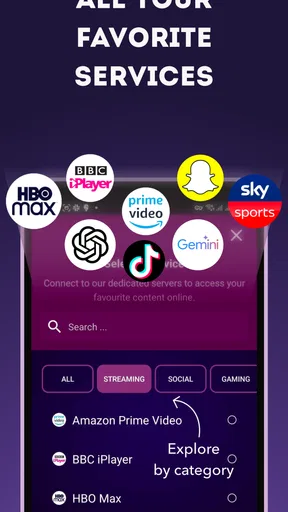
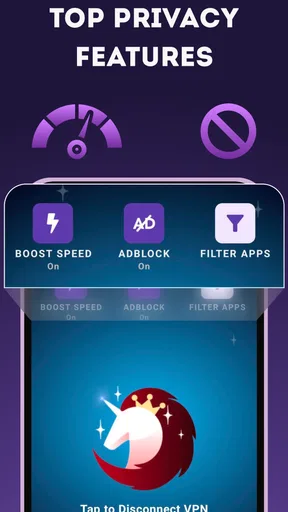
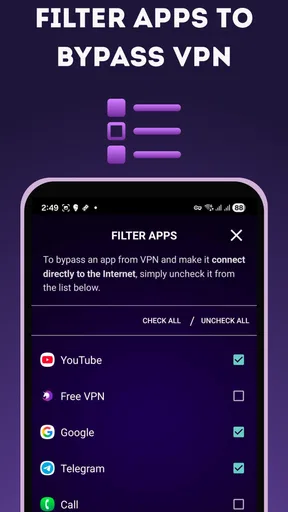
 Analysis by AppCompare
I usually judge a VPN by what happens after the first few convenient connections: does it become a useful everyday habit, or does the friction make me forget it is there? Free VPN is aimed at people who want a simple way to route everyday browsing through a VPN without first learning a stack of networking settings. Its straightforward approach is appealing, but a VPN is also a tool I’d choose with care, especially when privacy is the reason for installing it.
The first week: convenience matters
For a newcomer, the main attraction is how little setup the app appears to require. A quick connection flow lowers the barrier to trying a VPN, and that can be helpful if you mainly want an uncomplicated option for ordinary web use. I would start by testing it on low-stakes browsing rather than assuming that a single tap answers every question about privacy, speed, or access.
A practical first-week routine is to connect before opening a browser or a streaming app, then check whether the sites and services you actually use still behave normally. Some services may react differently when traffic comes from a VPN, so it is worth testing your regular routine instead of relying on a general promise of access. If a banking, work, or shopping app gives you trouble, disconnect and see whether the VPN is the cause before changing other settings.
For a realistic example, imagine using public Wi-Fi while waiting for a train and checking a few ordinary websites. A VPN can add a layer between that network and your browsing traffic, but it does not make every online action anonymous or make risky links safe. I’d use it as one part of sensible habits: keep apps updated, avoid entering sensitive details on pages I don’t trust, and turn the VPN off if a service works incorrectly.
Month-to-month value: a habit, not a novelty
The app is listed in the productivity category, though its everyday job is closer to a privacy utility than a planner or note-taking tool. Free VPN is free to install, and its developer is Free VPN LLC. It has a 4.2 average from around 153,000 ratings, with roughly 6,700 written reviews and more than 5 million installs. Those figures suggest many people have tried it, but popularity alone cannot tell me whether its privacy approach matches my needs.
Its lasting value depends on what you expect from a VPN. If you want a quick, low-effort option for occasional browsing on unfamiliar networks, a simple interface can make regular use more likely. If you need a dependable location for a specific service, a carefully chosen server, or consistent access for work, convenience may not be enough. In those cases, I’d compare the available choices and support details with a paid VPN whose features and privacy terms I have examined closely.
Free VPN is rated for Everyone and works on Android 6.0 or later. The current version is 4.038, and optional in-app purchases range from $0.99 to $104.99 per item. That gives you a no-cost way to try it, while making it sensible to check what an upgrade actually changes before paying. I would not treat a purchase as a privacy guarantee; the right decision depends on the features offered and the provider’s terms.
Worth Reading Before You Choose

EA SPORTS FC Mobile 26 Is a Bigger Football Game, but It Takes Time

Flipboard Shows What News Apps Must Do Beyond the Feed

Switching to Android Auto Means Rethinking Your Driving Routine

Google Calendar Makes a Crowded Week Easier to Manage

Ludo King Makes the Most of the Minutes Between Plans

Baby Panda World Brings Quick Play to Modern Phones, but Its Game Library Feels Busy
Maintenance: small checks that protect the value
A VPN is not a set-and-forget substitute for reviewing your security. I’d make a habit of checking whether it is connected when I need it, especially after switching networks or restarting my phone. If a page suddenly refuses to load, briefly disconnecting can help identify whether the VPN is involved. That small troubleshooting step is more useful than repeatedly refreshing or changing unrelated settings.
It is also worth revisiting the app after updates and checking that its behavior still fits your routine. Free VPN was released on January 15, 2016, and software changes over time; keeping the app current is a basic maintenance step, not proof that any particular privacy protection is in place. Before relying on any VPN for sensitive activity, I would read the current privacy information and decide whether I am comfortable with the provider’s practices.
One useful trade-off to keep in mind is that routing traffic through a VPN can affect how websites recognize your connection. A site may ask for extra verification, show different regional content, or reject a login it would normally accept. If that happens, note whether the problem appears only while connected. Switching between available connection choices, when the app offers them, may help; otherwise, using the service without the VPN for that task may be the more practical choice.
Where fatigue can set in
Any VPN can become annoying when a connection slows, a site blocks VPN traffic, or the extra step interrupts a routine. Free access can make it easy to experiment, but it does not remove those everyday trade-offs. I would skip this kind of one-tap app if I needed detailed control over networking, a location selected for a demanding task, or a clearly documented fit for sensitive professional use.
There is also a difference between protecting traffic on a network and protecting every part of your digital life. A VPN does not prevent phishing, secure a compromised account, or replace strong passwords and two-factor authentication. I would be cautious about using any VPN as a reason to lower my guard, and I would avoid assuming that a connection is suitable for confidential work without reviewing the provider’s current privacy terms.
Compared with manually configured VPN connections, a simple app can be easier to start using but may offer less control over the details. Compared with a subscription VPN, a free option can reduce the cost of trying the category, while paid alternatives may be a better fit for someone who needs particular locations, more configuration, or a support arrangement they trust. I’d choose based on those concrete needs rather than assuming that free or paid automatically means safer.
Getting Started with Free VPN
First off, the installation of Free VPN by Free VPN .org™ is a breeze. Head over to your app store, tap install, and you're good to go. No need to jump through hoops or deal with complicated setups. It's as straightforward as it gets.
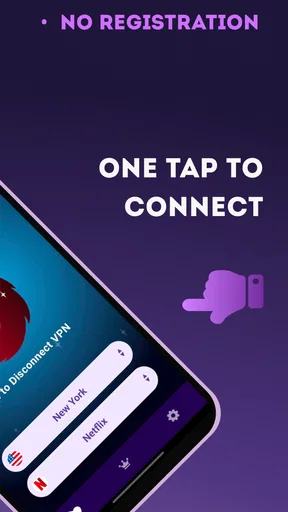
Once installed, the app greets you with a simple interface. No clutter or overwhelming options, just a big "Connect" button. Hit that, and you're on your way to a more secure browsing experience. The app automatically connects you to the fastest server available, which is pretty neat for folks who don’t want to fiddle around with server locations.
Features and Usability
Now, let's talk features. This app is quite user-friendly. One of the primary attractions is its unlimited bandwidth. Yep, you heard that right. No caps, no throttling. You can stream, browse, and download to your heart's content without worrying about hitting a limit.
Another highlight is the app's ability to unblock geographically restricted content. Whether you want to access a show available only overseas or bypass local restrictions, this feature has got you covered. It's like holding a golden ticket to the global internet.
Security-wise, Free VPN uses strong encryption to keep your data safe. Whether you're on public Wi-Fi or your home network, your information is shielded from prying eyes. Knowing that my data isn't floating around unsecured definitely gives me some peace of mind.
Performance and Reliability
Now, on to performance. Speed is always a concern with VPNs. From my experience, Free VPN holds up pretty well in this department. I didn't notice any significant drops in speed while streaming or downloading. It’s not lightning-fast, but it’s reliable enough for most online activities.
As for reliability, the app rarely disconnects unexpectedly, which is a huge plus. I also appreciate its ability to switch servers seamlessly when one becomes overloaded. This ensures a consistent connection without much hassle on my end.
Pricing and Limitations
Here's the kicker—it’s free! But, as with most free apps, there are some limitations. While you can enjoy all the basic functions without spending a dime, there are ads. They’re not too intrusive, but they are there. For those who want an ad-free experience or additional features, there’s a premium version available.
The free version also offers a limited selection of servers compared to the premium version. Still, for everyday use, the available servers do the job just fine, especially if you're not too picky about specific locations.
Final Thoughts
All in all, Free VPN by Free VPN .org™ is a solid choice for anyone looking to enhance their online privacy without breaking the bank. It's easy to use, offers unlimited bandwidth, and provides a decent level of security for casual browsing. Yes, there are ads and fewer server options, but those are small trade-offs for a free service.
If you're new to VPNs or just need a basic layer of protection, give this app a whirl. It's worth checking out, especially given its no-cost entry point. Just remember, while this app offers good protection, always stay vigilant about your online security.
Pros
- Simple and intuitive user interface.
- Fast connection speeds with minimal lag.
- No registration or login required.
- Unlimited bandwidth for all users.
- Supports multiple device connections.
Cons
- Limited server locations available.
- Contains in-app advertisements.
- No dedicated IP option available.
- May affect battery life during use.
- Customer support is email-only.
FAQs for Free VPN by Free VPN .org™
What features does Free VPN by Free VPN .org™ offer?
Free VPN by Free VPN .org™ provides unlimited access to global servers, ensuring secure and private browsing. It encrypts your internet connection to protect your data from hackers. The app also offers a simple interface, making it easy for users to connect with just one tap. It supports multiple devices, ensuring flexibility and convenience.
Is Free VPN by Free VPN .org™ truly free to use?
Yes, Free VPN by Free VPN .org™ offers a free version with basic features. However, there are optional in-app purchases for premium services that provide faster connection speeds and access to additional servers. The free version is supported by ads, which can be removed with a premium subscription.
How secure is Free VPN by Free VPN .org™?
Free VPN by Free VPN .org™ uses strong encryption protocols to secure your internet connection and protect your data from cyber threats. It hides your IP address, ensuring your online activities remain anonymous. However, like any VPN, the level of security may depend on the server you connect to and the policies of the provider.
Will using Free VPN by Free VPN .org™ affect my internet speed?
Using a VPN can sometimes lead to reduced internet speed due to data encryption and rerouting through a remote server. Free VPN by Free VPN .org™ strives to minimize this impact, but users may experience varying speeds depending on the server location and current load. Premium users can access faster servers for improved performance.
Is Free VPN by Free VPN .org™ compatible with all devices?
Free VPN by Free VPN .org™ is available for both Android and iOS devices, ensuring broad compatibility. Users can install the app on smartphones and tablets. However, it is important to check the device specifications and ensure the operating system is up to date to avoid compatibility issues.


